How it works
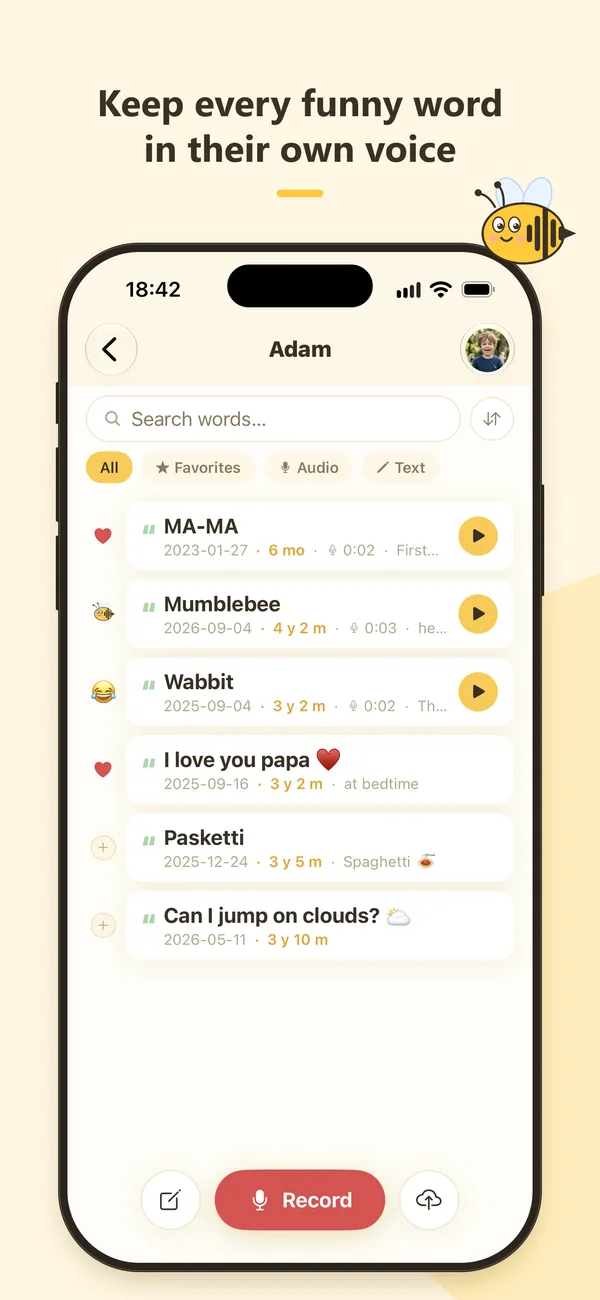
A voice diary for the words and phrases your child makes up, mixes up or says for the first time.
Record or write it
Tap Record when your child says something worth keeping, import the sound from a video, or just type the word.
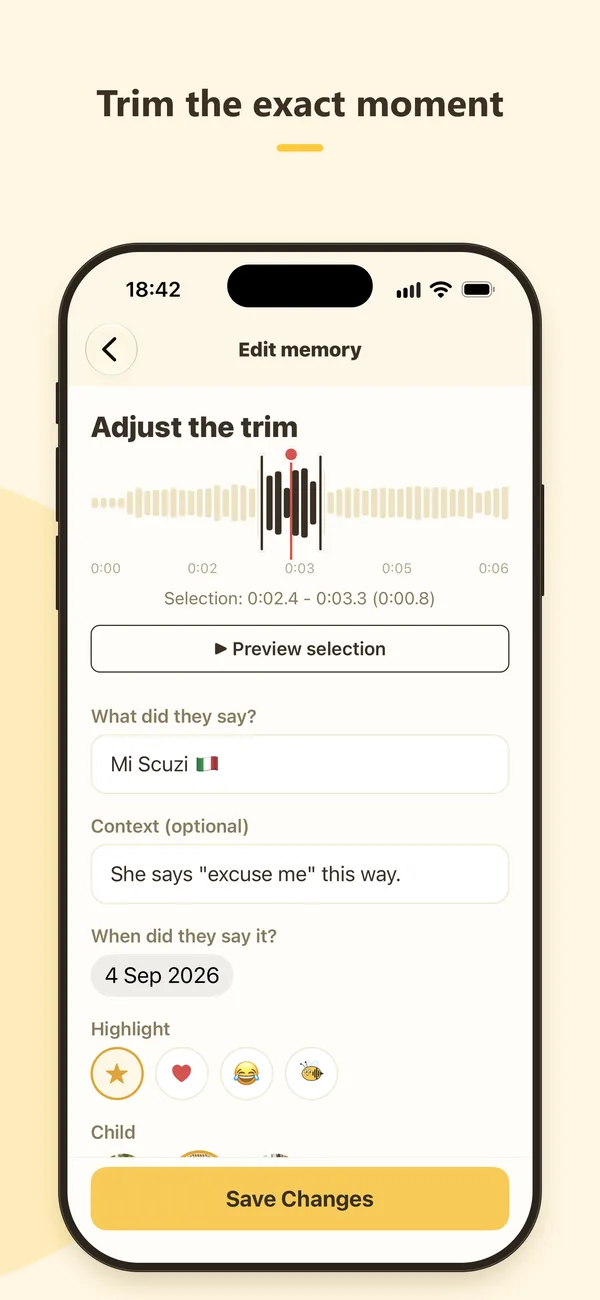
Trim the exact word
Cut the recording down to the moment that matters, so it plays back in a second or two.
Keep it with their age
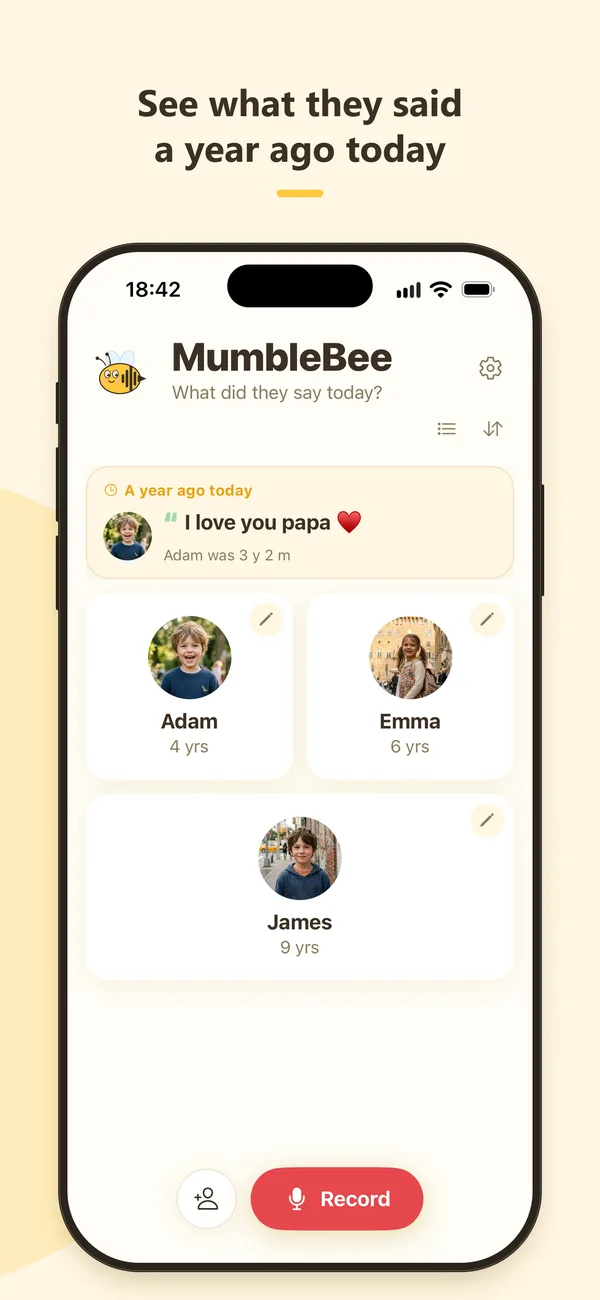
Each memory shows how old your child was. Search, mark favorites and see what they said a year ago today.
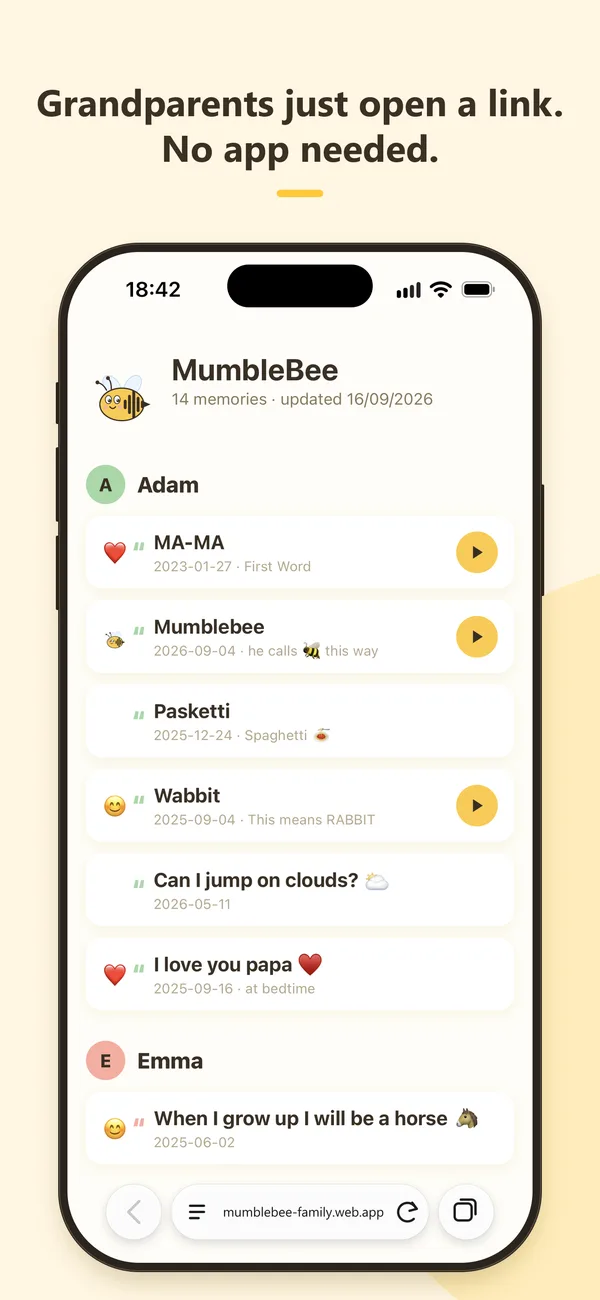
A private page for grandparents
Turn on the family link and send it to the people you choose. They open it in any browser, read the words and listen to the clips. No app, no account. You can switch the page off at any time and it is deleted right away.
Your recordings stay private
- No ads and no third-party trackers.
- No AI: no transcription, no voice analysis, no model training.
- Stored in the European Union, in private storage only your account can open.
- Export everything or delete your account at any time.
Questions
Is MumbleBee free?
Yes. The free plan covers one child and up to 5 memories. Premium adds more children, unlimited memories, the family page and growth tracking. You can subscribe monthly or yearly, or buy it once. Current prices are shown in the app.
Do grandparents need to install the app?
No. You send them a private link, and the family page opens in any browser on a phone or computer.
Does MumbleBee use AI on my recordings?
No. There is no transcription, no voice analysis and no model training. Your recordings are stored privately and only you can access them.
Can I get my recordings out of the app?
Yes. Settings, Export my data downloads all recordings and words as one file. Export is free on every plan.
Is there an Android version?
An Android version is in testing and can be installed with the direct download button above. A Google Play release is planned.
Which iPhones are supported?
Any iPhone with iOS 15.1 or later.